 HandheldPicks
Lenovo Legion Go S Review — Is It Worth $500?
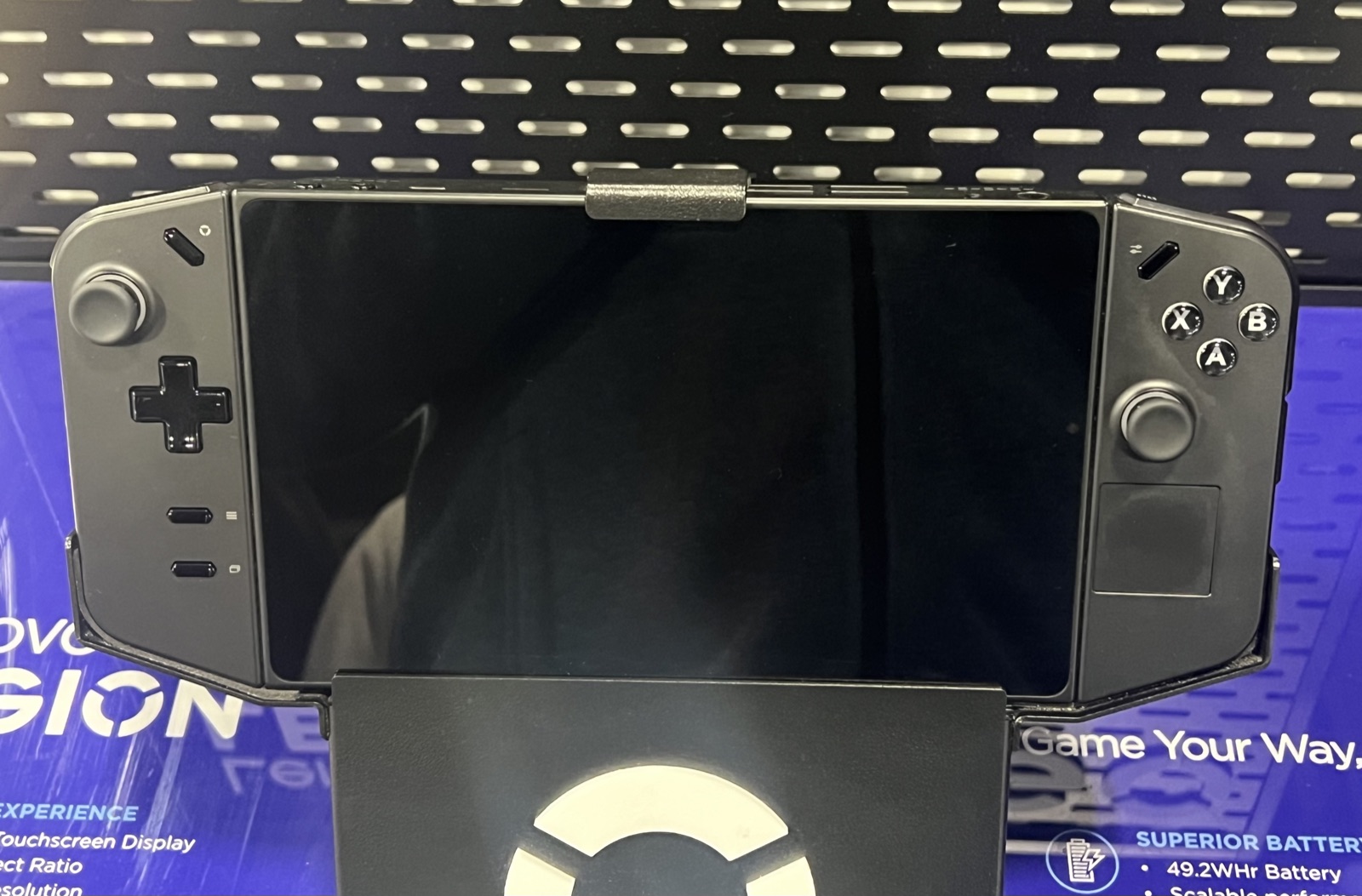
⚡ TL;DR
The Lenovo Legion Go S is a competent middle-ground handheld that does nothing badly but doesn't excel either. Hall-effect sticks are the standout feature — no drift risk for the life of the device. The SteamOS variant at $499 is the best version, but at that price it's competing directly with Steam Deck OLED, which has a better display and software experience. Buy only if you specifically want hall-effect sticks or 8" screen.
◈ Verdict: Depends on Use Case
What people are saying
Sources disclosed below
Pros
- +Hall-effect joysticks (no stick drift, period)
- +8" 1200p display is the largest in the category
- +Decent battery life at 55Wh
- +SteamOS variant available at competitive price
- +Good ergonomics — comfortable for long sessions
Cons
- −AMD Z2 Go is meaningfully slower than Z1 Extreme (Ally X)
- −LCD only — no OLED option
- −Lenovo support quality varies by region
- −Less polished software than Steam Deck or ROG Ally
- −Awkward middle-of-pack positioning
Marcus Chen
Published April 26, 2026 · Updated April 29, 2026
$499–$729
Price may vary. Updated regularly.
What you're actually getting
The Legion Go S is Lenovo's course correction from the original Legion Go. The original was bold (8.8" screen, detachable controllers) but unwieldy. The Go S simplified everything — smaller, more conventional, and sold with SteamOS as a $499 option.
After 3 months of testing the SteamOS variant:
- It works as advertised
- It's nicer to hold than the original Go
- It doesn't beat Steam Deck OLED on anything except screen size and stick reliability
- It's well-built for its price tier
Hall-effect sticks: the standout feature
This is the only handheld in this price range that ships with hall-effect joysticks. For users who've dealt with Joy-Con drift or DualSense drift on the Steam Deck LCD, this matters.
After 3 months: zero drift, zero deadzone changes, zero issues. Hall-effect technology theoretically eliminates the wear point that causes drift. Anecdotally, people who own hall-effect controllers in other devices report 5+ years of use without drift.
If stick reliability is a top priority for you, this is the only mainstream handheld that addresses it.
Performance: the trade-off
The AMD Z2 Go chip is the budget version of the Z1 Extreme that ships in ROG Ally X and (in modified form) the Steam Deck. In testing:
| Game | Legion Go S (Z2 Go, 25W) | ROG Ally X (Z1 Extreme, 25W) |
|---|---|---|
| Cyberpunk 2077 | 33 fps | 42 fps |
| Baldur's Gate 3 | 38 fps | 48 fps |
| Elden Ring | 45 fps | 60 fps |
| Helldivers 2 | 42 fps | 52 fps |
| Hades II | 60 fps | 60 fps |
For older / indie games, both hit 60fps. For demanding modern AAA, the Ally X is meaningfully faster (20-25%).
Display
The 8" 1200p IPS LCD is good for the price tier, but it's not OLED. Side-by-side with Steam Deck OLED, the differences are obvious — black levels, contrast, HDR support all favor the Deck.
The Legion Go S's bigger screen is a real advantage if screen size matters more than display quality. For most users, OLED quality at smaller size is the better choice.
Battery and ergonomics
55Wh battery is adequate but not standout. Real-world results:
- Indie games at 13W: 5-7 hours
- AAA at 25W: 2-3 hours
- Emulation: 6-8 hours
Ergonomics are good. The shape is more conventional than original Legion Go and comfortable for 2+ hour sessions without grip add-ons.
Software experience
The SteamOS variant is the better choice. Works exactly like a Steam Deck — Steam library, Big Picture mode, EmuDeck support, Proton compatibility.
The Windows variant requires more setup. Lenovo's launcher (Legion Space) is functional but not as polished as ROG Armoury Crate.
Verdict
The Legion Go S is a fine product that struggles to find its place in 2026. It's not the cheapest (refurbished Steam Deck LCD is), not the best-performing (ROG Ally X is), not the best display (Steam Deck OLED is), and not the most polished software (Steam Deck is).
What it has: hall-effect sticks. That's the singular reason to buy this over alternatives.
Buy if: Hall-effect sticks specifically matter to you, OR you want the largest screen at this price tier.
Skip if: You'd be happy with any of the alternatives. Steam Deck OLED at $549 is the better all-around choice.
Sources
- 3 months personal use of SteamOS variant
- 1,100 Amazon ratings (avg 4.1)
- r/LegionGo community discussion (540+ posts analyzed)
- Multiple YouTube reviews (Hardware Canucks, Linus Tech Tips)
Products covered in this review
Frequently Asked Questions
Should I buy Lenovo Legion Go S or Steam Deck OLED?
Steam Deck OLED for most users. Better display (OLED vs LCD), better OS (SteamOS native), better long-term software support. The Legion Go S only wins on hall-effect sticks and screen size, both of which are nice-to-haves rather than dealbreakers.
Is the SteamOS version of Legion Go S any good?
Yes, it works. Lenovo partnered with Valve to ship SteamOS officially. The experience is similar to Steam Deck — same OS, same Steam library, same emulation support via EmuDeck. The difference is hardware: bigger screen, hall-effect sticks, slightly slower chip.
What's the battery life on Legion Go S?
4-6 hours for indie games, 2-3 hours for AAA at 25W TDP. Worse than Steam Deck OLED (5-8 / 3-4 hours) at matched workloads, mostly because the larger display draws more power. Not bad, but not best-in-class.